
Data Assistant Mobility (DAM)
All your mobility data on one map. The power of combining it.
Many sources are open, but they are scattered across a great many websites. DAM puts them side by side, so you can get straight to work: with colleagues, on maps styled your way, with automatic analyses and reports, ready to hand over.
What is DAM?
Data Assistant Mobility (DAM) is a web platform for visualising, combining, analysing and reporting on mobility data, on your own or with colleagues, all in one place.
DAM brings the sources together on one map. Here is a handful of the more than fifty: roads and what stands beside them, such as traffic signs and direction signs. Public transport, with details of stations and stops. Live data, such as available shared vehicles, free charging points and current public transport delays. Environment and surroundings, such as housing development sites, noise and emissions. And that is only the tip of the data iceberg.
Many of those sources are open, but each one sits on its own website, in its own format. We fetch them, check them, keep them current and put them side by side, so you can see everything that is known about a road section or an area in one go.
Then the real work starts. Style a map the way you want it and share one project with your colleagues, with map images and reports ready to hand over. Tools that go further let you measure accessibility, plan routes and draw your own area boundaries. For your own municipality or province, DAM also writes a report: the road safety risk analysis, set out the way the national Strategic Road Safety Plan expects. You can also have a Proximity report drawn up for your municipality, covering local services as defined in the national accessibility benchmark (Nationaal Bereikbaarheidspeil), so you can compare how accessible your municipality is.
DAM has two licences. The free Basic licence gives you every map layer for your own municipality or province. The Pro licence opens up the whole country and adds the tools that go further and working with colleagues.
Who is DAM for?
- Municipalities
- Provincial authorities
- Rijkswaterstaat and the Ministry of Infrastructure and Water Management

What DAM adds
Most of the sources are open and can be found elsewhere, each on a website of its own. The gain comes when they meet.
Everything about one place
Click on your municipality, a district or a neighbourhood and see in a single overview the Statistics Netherlands key figures, the distance to services such as the primary school, the buildings from the national building register (BAG) and emissions. Then lay the accidents, stops or charging points for the same area alongside.
One click instead of five websites side by side.
Basic and ProRoad safety
Accidents, traffic signs with photos, speed limits, school zones and the SWOV safety performance indicators (SPIs) on one map. See where the risks come together.
Evidence for the risk-based approach the national Strategic Road Safety Plan asks for.
Basic and ProLive traffic picture
Watch congestion, incidents, closures, journey times and public transport moving through your area, in a separate window. A news feed reports every new accident, closure or bridge opening, and any badly delayed bus or train, as it happens; one click takes you to the spot on the map.
See what is happening right now, without switching between separate portals.
ProWorking together
Work with colleagues in one data project, including colleagues from another municipality, province or national agency. Leave a comment on a spot on the map, mention each other with @ and see who is working on the project at the same time as you.
One shared picture instead of emails full of screenshots.
ProYour map, your style
Choose the colour, line width, line pattern and symbol for each layer, and a base map you like; there are several to choose from.
A map that looks exactly the way you want, in a few minutes.
ProSharp downloads
Download the map view as a PNG or PDF at twice screen resolution, with the legend and source credits on it. Figures go out as CSV.
Images that are easy to download and stay sharp at full size in a report or on the presentation screen.
ProReporting
Put maps, charts and figures on a canvas and deliver it as a report for the executive, the council or the board.
From map view to a shareable document in Word, PowerPoint or PDF. No cutting and pasting.
ProTools that go further
Work out how far you can get in a set time by car, bike, on foot or by lorry, including with a road closure on the route. Plan a route with journey time, and build your own areas from neighbourhoods, districts or postcodes.
From looking to calculating, without a GIS package.
Pro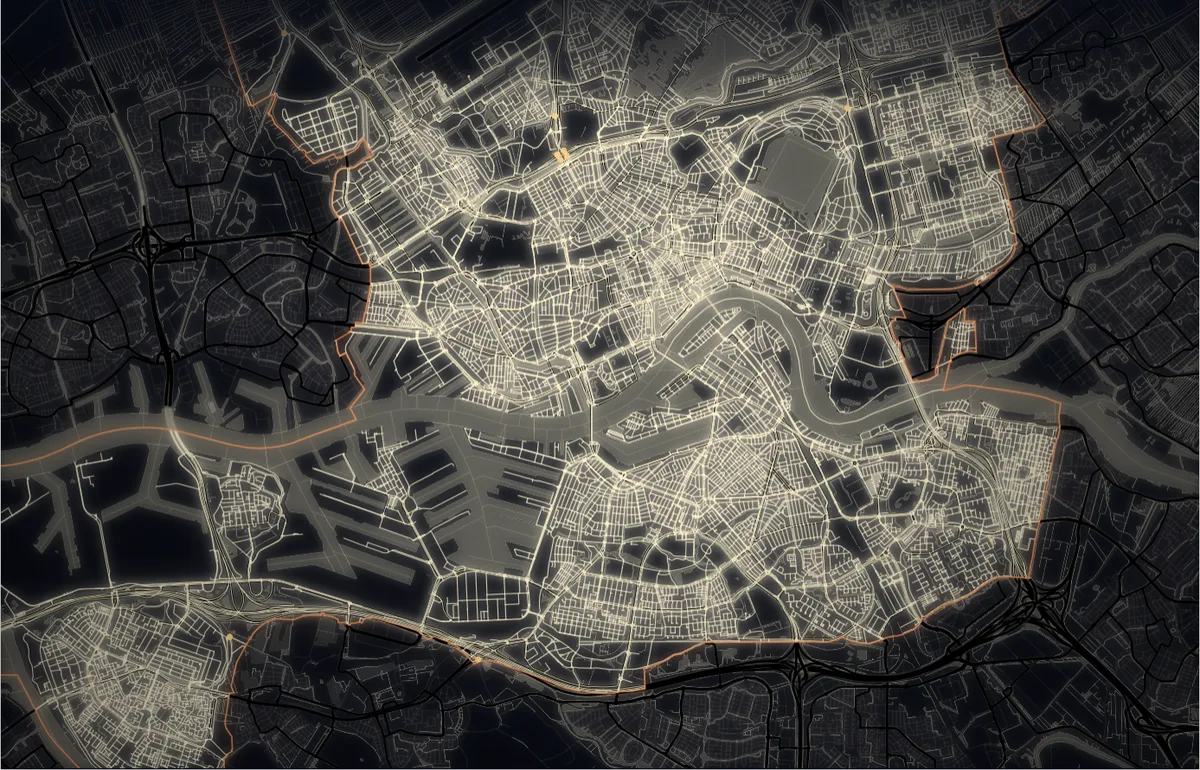
Data art: your map as a work of art
Included in BasicTurn a map view into a print. Pick a style such as Night, Blueprint or Old paper, an effect or a mosaic, and add your own title and icons. Preview the print in a sample frame, then download it as a PNG from A4 up to A0 at 300 dpi, or have it professionally printed and delivered to you with a single click.
Tools that go further
Alongside the map and the figures, DAM has tools that do the calculating for you and turn the results into a report.
Generate reports
ProSeveral tools can generate a report automatically from a fixed template, complete with maps and charts. You can then download it and adjust it as you see fit. No AI involved.
A well-evidenced report for next week's meeting, without days of searching, cutting and pasting.
Road safety risk analysis
ProDAM produces a road safety risk analysis for your municipality, following the template of the national road safety knowledge network (Kennisnetwerk SPV). Accidents, road characteristics, speed limits and the SWOV safety indicators come together in one report, with maps and a comparison against your province and similar municipalities.
Where in your municipality do most accidents involving cyclists and moped riders happen, and how do you compare with similar municipalities?
Accessibility and routes
ProPick a starting point and a time, and see how far you can get by car, bike, on foot or by lorry. Or plan a route between two points, with journey time, distance and directions. Close a road and compare the picture with and without the closure.
Which part of the district is within fifteen minutes' cycle of the secondary school, and which diversion will traffic take if the bridge is closed?
Proximity to services
ProChoose a service, such as a GP, primary school or supermarket, and see how far residents of each district, neighbourhood or area of your own live from it on average. Or see what share of residents live further away than a distance you consider acceptable. Every area is compared with the municipality and the Netherlands as a whole.
What share of residents in the villages live more than 1 km from a primary school, and how does that compare with the rest of the municipality?
Area profile
ProPick a municipality, district or neighbourhood and, with one click, set out a standard series of charts that describes it: population, households, housing, local services and accessibility, with the map alongside. Add other areas to compare them.
How does the population of a new housing estate differ from the rest of the municipality?
Your own areas
ProBuild your own areas from neighbourhoods, districts or postcodes, and see their characteristics added up for each area.
Set up your own working area, such as a neighbourhood team's patch that does not match the Statistics Netherlands districts, with the figures to go with it.
Survey and Design
In the labA virtual road survey. Drive in 3D along the roads of an area you choose and look around: the road surface, the buildings, the traffic signs on their posts and the terrain, with bridges at their true height. Click on anything to see its attributes, and on a sign to see a photo of the real one. In Design mode you sketch a measure and then see it as a road user would.
Still in development, so not available just yet. Watch this space!
Secure, with your data kept in Europe
DAM is built for the public sector.
Hosted in the EU
DAM runs on servers in the European Union, in ISO 27001-certified data centres run by a European hosting provider. Your account, your work and the backups stay within the EU.
Secure sign-in
Your data projects deserve a secure way in: a personal account and temporary sign-in codes.
Your work stays yours
Nobody else sees your data projects, reports or own data unless you share them. The server checks this on every request.
Nobody watching
No advertising, no trackers and no analytics tools in DAM. Your data is never sold, and we do not use it to train models.
GDPR in hand
A data processing agreement based on the VNG model is ready to sign. Among other things, it commits us to reporting a data breach within 24 hours.
Licences
There are three ways to work with DAM. You start free of charge with the maps and the statistics for your own municipality or province. Pro opens up the whole country, with the live feeds, the analysis page, exporting, projects and reports alongside it.
Basic
To get started with the data
€ 0per month
Free of charge, with nothing to cancel
Basic includes:
- Every map layer for your own municipality or province
- Five base selections: Areas, Environment, Roads and Mobility, Waterways and Public Transport
- Filter and colour each layer as you like
- The statistics panel: key figures and charts by municipality, district and neighbourhood
- Areas and objects on the map, with their attributes
- Data art: turn your map into a print, as a PNG up to A0
- One user, your own area
Pro
In-depth tools, collaboration, image export
€ 17,50per monthexcl. VAT
Billed annually at € 210
€ 254,10 including VAT
All of Basic, and:
- Three map levels: national, provincial and municipal
- The whole of the Netherlands: every municipality and all twelve provinces
- Real-time: congestion, incidents, closures, journey times and public transport on the move
- Profile: compare key figures and access to local services across areas, in charts and on the map
- Tools that go further: road safety risk analysis, accessibility, routes, proximity and your own areas
- Exporting: the map view as an image, statistics as CSV
- Your own colours for the map layers
- Data projects and storage: save your work and pick it up later
- Reports: maps, charts and text on a single canvas, out to Word, PowerPoint or PDF
- Share projects and reports with colleagues
Organisation
For teams and departments.
Everything in Basic and Pro, with licences you assign yourself and withdraw again when someone changes role. You pay once a year for the whole organisation. It works just as well for partnerships that reach across municipal and provincial boundaries.
Volume discounting is applied
€ 945per yearexcl. VAT
€ 189,00 per licence per year
You save € 105 a year
What DAM gives you, licence by licence
Every feature side by side. Basic gives you the maps and the statistics for your own municipality or province; Pro works across the whole country and adds the live feeds, analysis, tools that go further, exporting, working together and reporting; Organisation handles use across a whole team.
| What you can do | Basic | Pro | Organisation |
|---|---|---|---|
| Map and data | |||
| More than fifty national sources, loaded and checked | Included | Included | Included |
| We keep the sources current, so you download and convert nothing | Included | Included | Included |
| Every mode: road, rail, public transport, waterways and charging points | Included | Included | Included |
| As many map layers side by side as you like | Included | Included | Included |
| Click an area, road section or any other object and see all its characteristics in one overview | Included | Included | Included |
| Every map layer for your own municipality or province | Included | Included | Included |
| Three map levels: national, provincial and municipal | Not included | Included | Included |
| The whole of the Netherlands: every municipality and all twelve provinces | Not included | Included | Included |
| Filter and colour each map layer | Included | Included | Included |
| Your own style for each layer: colour, line width, line pattern and symbol | Not included | Included | Included |
| Areas and objects on the map, with their attributes | Included | Included | Included |
| Real-time | |||
| Congestion, incidents, closures and journey times, updated continuously | Not included | Included | Included |
| Public transport moving across the map, with rail delays and disruption | Not included | Included | Included |
| Matrix signs, variable message signs and charge point occupancy, live | Not included | Included | Included |
| Available shared vehicles and car park and park-and-ride occupancy, live | Not included | Included | Included |
| Live feeds in a window of their own beside your work, with a news feed of every new incident | Not included | Included | Included |
| Analysis and statistics | |||
| Key figures and charts by municipality, district and neighbourhood | Included | Included | Included |
| Profile: compare areas side by side on a dashboard you build yourself | Not included | Included | Included |
| Area profile: a standard set of charts describing an area, in one click | Not included | Included | Included |
| Colour the map on any variable | Not included | Included | Included |
| Export statistics as CSV | Not included | Included | Included |
| Download the map view as a PNG or PDF, in high resolution | Not included | Included | Included |
| Tools that go further | |||
| Road safety risk analysis for your municipality, or for your province's provincial roads | Not included | Included | Included |
| Accessibility: how far you can get in a set time, including with a road closed | Not included | Included | Included |
| Routes with journey time, distance and directions | Not included | Included | Included |
| Proximity: how far residents in each area live from a given service | Not included | Included | Included |
| Your own areas, built from neighbourhoods, districts or postcodes | Not included | Included | Included |
| Saving and delivering | |||
| Data projects: save your work and pick it up later | Not included | Included | Included |
| Storage for selections, map views and analyses | Not included | Included | Included |
| Reports: maps, charts and text on a single canvas | Not included | Included | Included |
| Reports DAM drafts for you from a fixed template, with no AI involved (paid licences only) | Not included | Included | Included |
| Deliver in Word, PowerPoint or PDF | Not included | Included | Included |
| Source and date recorded under every report | Not included | Included | Included |
| Update the next report instead of building it again | Not included | Included | Included |
| Data art: turn your map into a print, as a PNG up to A0 | Included | Included | Included |
| Working together and across the organisation | |||
| Number of users | 1 | 1 | 5 to 30 |
| Share and work on projects and reports together with colleagues, including at other public bodies | Not included | Included | Included |
| Comments on a spot on the map, @-mentions and seeing who else is looking | Not included | Included | Included |
| Each person the access that fits their role | Not included | Not included | Included |
| Assign and withdraw licences yourself | Not included | Not included | Included |
| One payment a year for the whole organisation | Not included | Not included | Included |
All prices exclude VAT and assume annual invoicing; the figure including VAT sits beside it in small print, and one button puts the whole organisation slider on the inclusive figure. Basic and Pro are per user; an organisation licence is held in your organisation's name and you assign the licences yourself. Access is granted by area: Basic gives you your own municipality or province, Pro and Organisation the whole country.
It starts with your question.
The three licences above give everyone the same DAM. The questions you are working on are not the same. The work often starts with a question that goes beyond the buttons: what do you want to show, who is it for, and which data will answer it? We're happy to think that through with you.
When it helps
- You're preparing an analysis for the council, its executive or a meeting, and want to be sure the picture is right.
- Your question draws on more than one source: access to local services, say, set against growth in the number of households.
- You want to set up the analysis page or a data project for a question that keeps coming back.
- You're missing data that your question needs.
- You want to extend a risk analysis or accessibility analysis with further research.
Sometimes thinking it through together is enough: we set up your data project and the analysis page with you, or we carry out the analysis for you. Sometimes the question needs more, and we build a separate module to order, which appears in the platform only for the people you invite, or we carry out further research to answer your question.
A separate module might bring in data of your own. Or you may need complex statistical or model-based work. Perhaps you would rather build an information dashboard yourself, largely on your own, out of what is already there.
An analysis that relates collisions to road characteristics and traffic volumes is also possible, as is a model that works through the effect of a measure, or a monitor that puts your own measurements beside the national sources. Your question sets the brief.
Advanced statistics
Association, spread and change over time, calculated across your area and shown on the map.
Your own data sources
Counts, reports, measurement series or a map layer of your own, loaded in beside the national sources.
A link to your systems
A connection to the system you already use, so the same data is not maintained twice.
A module built around your question
A dashboard, model or monitor that does exactly what your question needs, designed with your people.

Chris Dijksterhuis
Adviser, Data and Mobility Behaviour, designer of DAM
Ready to start with Data Assistant Mobility?
Start for free with the maps and statistics of your own area, try everything for a week, or let us show you round first.
